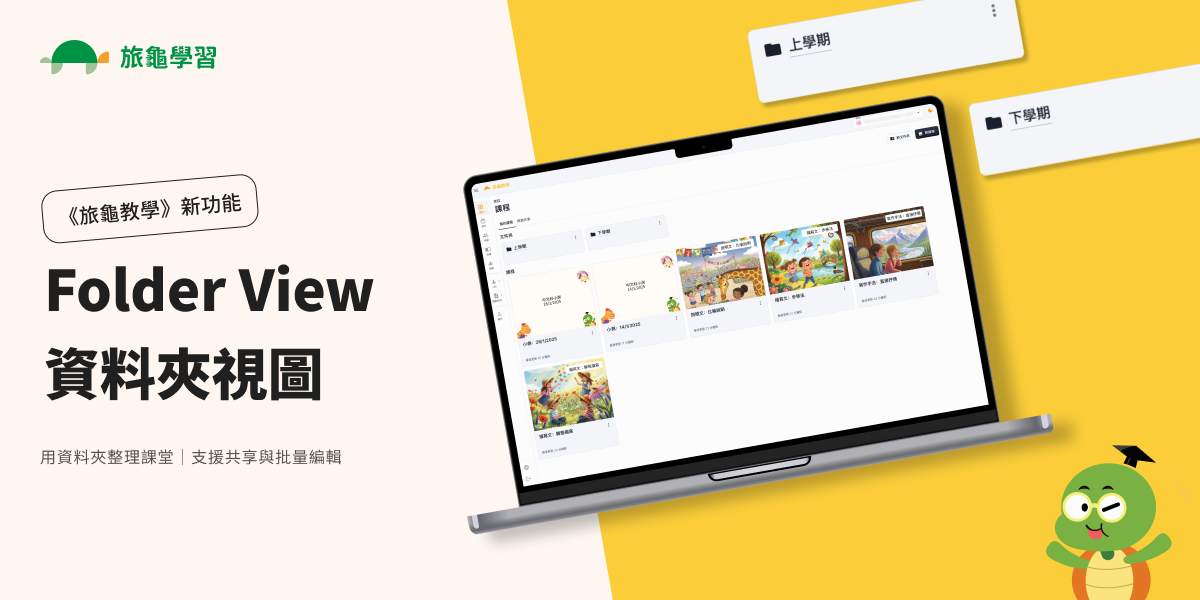
Folder View helps schools keep lessons organized as teams collaborate, schemes change, and materials get reused.
Key benefits
- Keep a clean, shared structure across classes, levels, and terms
- Reduce duplicate lessons and messy handovers
- Save time on repetitive admin tasks
Folder View: What’s New
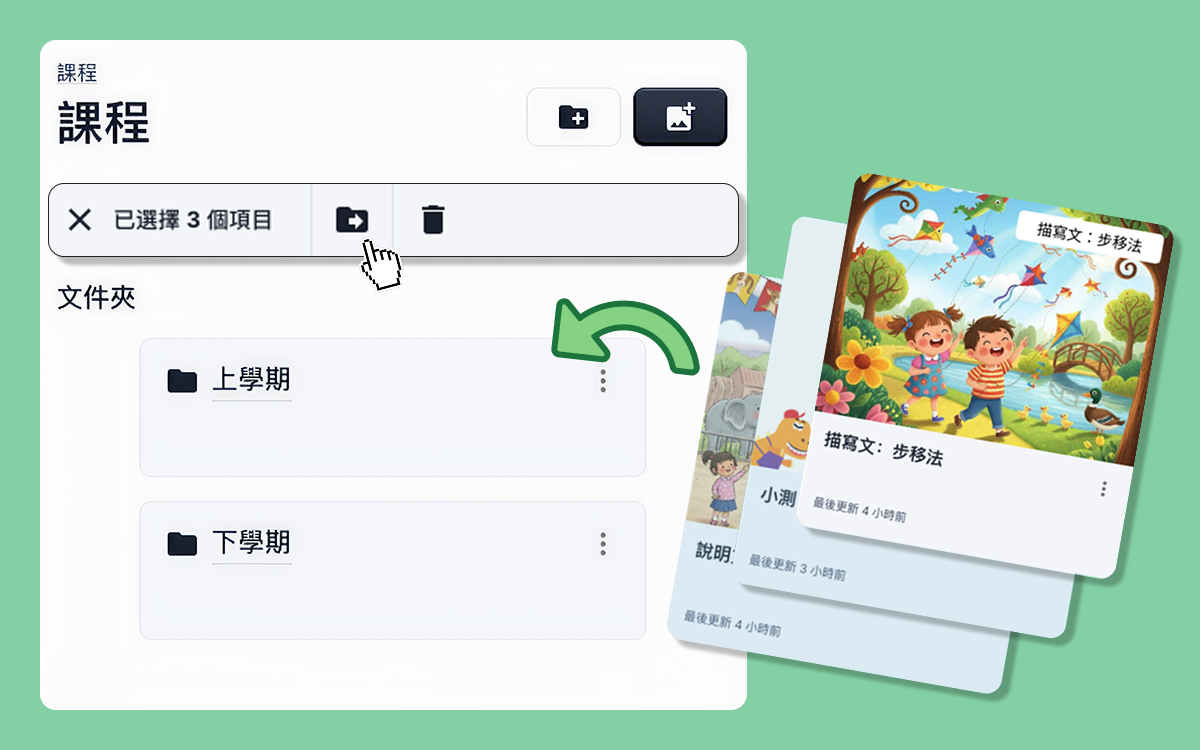
1) Create folders
 Organize lessons by:
- unit / module
- grade level
- textbook chapter
- skill focus
- intervention group (e.g. NCS / SEN)
2) Move lessons into folders
 Reorganize content when schemes change — without rebuilding from scratch.
3) Share folders
 Share an entire set of lessons at once to support onboarding, term handovers, and team teaching.
4) Bulk edit lessons and folders
 Handle the unglamorous work fast — renaming, moving batches, and applying consistent settings.
Who it’s for
Especially useful for schools where materials are co-maintained (e.g., SENCO support groups, cross-level teams) and where consistency matters for accountability.
Contact us
Need help designing your first folder structure?
Email sales@turtlelearn.com or reach us at https://turtlelearn.com/contact for a quick walkthrough.